



Radio Freedom DJ Help
Listener Help
DJ Help
Basic Streaming Set-up Part Two
Now that you have the basics, here are a few fine points.
To get your microphone to work with music you need to have selected sound card in shoutcast input tab. On the shoutcast input page you will see mixer.
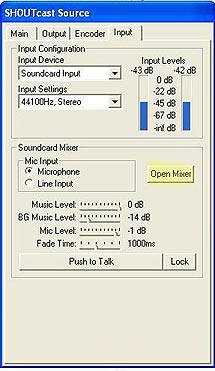
You open the mixer and get TWO parts Record Control and Play Control.
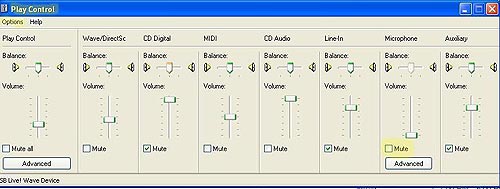
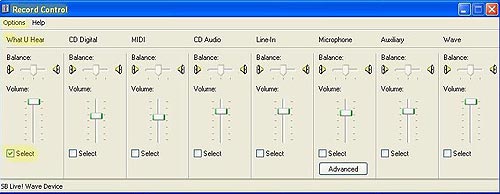
They will need to be set correctly. First go to the option, than properties in both parts and check to open all slider there you can find.
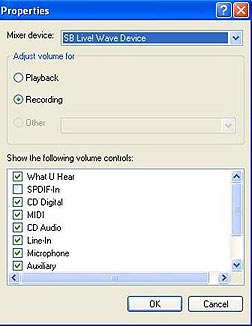
The most common way to have them work is to select “What U Hear” in record control. Do not mute Microphone in the play control. Some soundcard mixer record control may use a different name like “Stereo Mixer” or “Wave Mixer”. When all the sliders are open it will be the one at the far left. When you are connected to our server this should allow you to use the push to talk. We should hear you talk as the music fades a bit and the microphone comes alive.